


3D 4D 4K Live Wallpaper
4.323.00 Reviews
App Specs
- Version
- 1.0.13
- Updated On
- License
- Free
- Downloads
- 500,000+
- Developer
- ZAppsolution
- Categories
- Personalization
- Platform
- Android
Screenshots
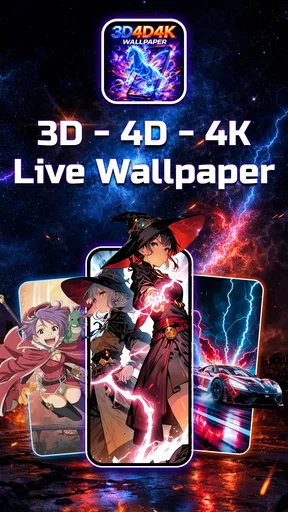
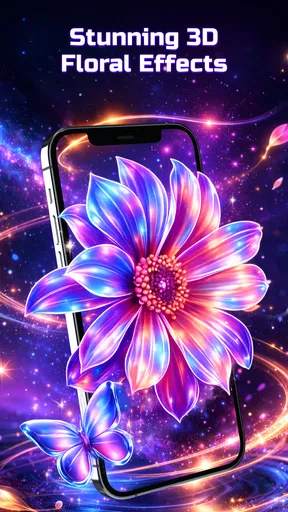
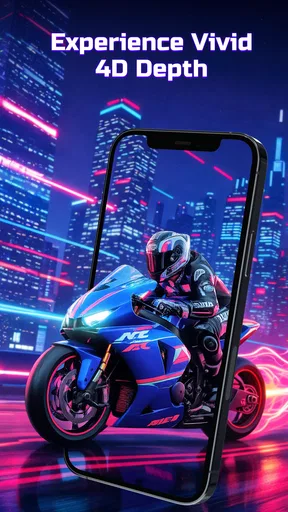
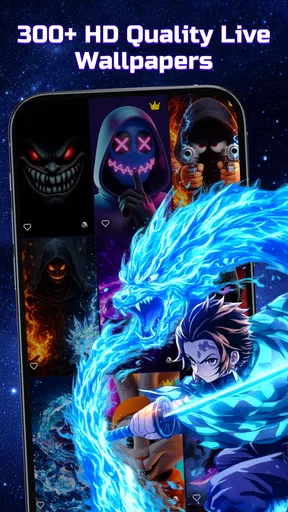
 Analysis by AppCompare
Live wallpapers can make a phone feel more personal, but the effect is only worthwhile if the motion suits the way you use your screen. 3D 4D 4K Live Wallpaper is built around animated backgrounds and parallax-style depth, so its appeal is less about changing how the phone works and more about giving the display a distinctive look. I’d consider it when a static image feels too plain, while keeping in mind that movement and vivid detail are a matter of taste.
What connectivity changes while you browse
The most network-sensitive part of an animated wallpaper app is usually finding and previewing new artwork. Browsing a large selection can involve loading visual previews, so I’d do that while connected to a reliable network rather than assume every item will appear instantly. If a preview takes a moment, that is a reason to wait or try again later, not to tap repeatedly and create extra work for yourself.
Once you find a background you like, make the choice deliberately instead of treating the catalog as something to scroll through endlessly. A short browsing session helps you compare the motion and composition without turning wallpaper selection into a drain on your attention. If you are deciding between two designs, check how each looks behind your icons and widgets before settling on one.
Choosing a wallpaper for real phone use
A wallpaper is seen in brief glances throughout the day, not only during a careful preview. I would favor a design with a clear focal point and enough visual breathing room for the clock, app labels, and widgets. A detailed image can look impressive on its own but become busy once the home screen is layered over it; subtle depth may be more comfortable for everyday use than the most dramatic effect.
For example, imagine checking your phone between errands, then opening it again on a commute to glance at a message. A fast, high-contrast animation might catch your eye at first, but a calmer scene is less likely to compete with the information you need to read. I’d preview the wallpaper against the actual layout I use, rather than judging it only in a full-screen gallery view.
When previews or loading feel unreliable
If artwork does not load smoothly, I would first check whether the connection is stable and give the screen time to respond. Switching networks or retrying later is a more sensible next step than repeatedly reopening the same item. A catalogue that depends on fetching previews can feel less convenient in a weak-signal setting, so it is worth choosing a wallpaper before heading somewhere with limited connectivity.
There is also a practical distinction between browsing and living with a selected background. The app’s description focuses on animated wallpapers, but I would not assume that every catalog action works without a connection or that a chosen design is available in every situation. If offline access matters to you, test your usual routine rather than relying on an expectation. For people who need a dependable, low-maintenance background above all, a locally stored still image is the simpler fallback.
Worth Reading Before You Choose

EA SPORTS FC Mobile 26 Is a Bigger Football Game, but It Takes Time

Flipboard Shows What News Apps Must Do Beyond the Feed

Switching to Android Auto Means Rethinking Your Driving Routine

Google Calendar Makes a Crowded Week Easier to Manage

Ludo King Makes the Most of the Minutes Between Plans

Baby Panda World Brings Quick Play to Modern Phones, but Its Game Library Feels Busy
Keeping data use and interruptions in perspective
High-resolution artwork can make a strong first impression, but I would avoid loading lots of previews over mobile data just for the sake of browsing. Use Wi-Fi when you plan to explore extensively, and narrow your search to a few designs when you are away from it. That is a useful habit for any media-rich personalization app, especially when you are not sure how much artwork you will inspect.
The app is free to download, with optional in-app purchases priced from $3.99 to $14.99 per item. That makes it easy to try the basic experience before deciding whether a paid item is worth it, but I would check the price of a specific purchase before confirming it. If you only want one background, there is little reason to spend until you have found a design you genuinely want to keep.
Have you ever found yourself staring at your phone’s home screen, thinking it could use a serious upgrade? Well, let me introduce you to 3D 4D 4K Live Wallpaper, an app designed to bring your screen to life with stunning visuals. I’ve had the pleasure of diving deep into this app, and let me tell you, it's a game-changer for anyone who loves a bit of flair on their device.
First Impressions and User Interface
When you first open up 3D 4D 4K Live Wallpaper, you're greeted with a sleek and intuitive interface. It’s like walking into a digital art gallery. The developers have clearly put a lot of thought into making it user-friendly, so even if you’re not particularly tech-savvy, you’ll find your way around in no time.
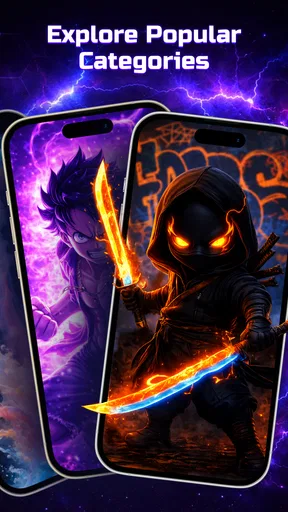
The main screen offers a variety of categories to choose from, such as nature, abstract, and sci-fi. Each category is packed with high-resolution wallpapers that are nothing short of mesmerizing. I spent a good chunk of time just browsing through all the options; it’s almost like a visual buffet.
Customization and Features
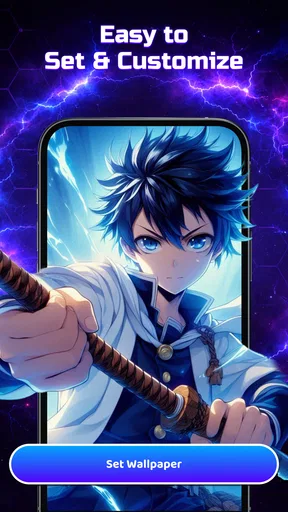
Alright, let’s talk about the customization options. This app doesn’t just stop at providing beautiful wallpapers; it gives you the power to make them your own. You can tweak the speed, direction, and intensity of the animations. Want a gentle breeze through a field of flowers or a rapid swirl of galaxies? You got it!
Moreover, the app is optimized for both Android and iOS, ensuring that the animations run smoothly without draining your battery. It’s compatible with a wide range of devices, which is a huge plus for those of us who aren’t rocking the latest smartphone model.
Performance
Now, you might be wondering about performance. After all, live wallpapers can sometimes bog down a device. I tested it on a mid-range phone, and the app performed like a dream. The wallpapers are crisp and vibrant, thanks to the 4K resolution, and they don’t stutter or lag. It’s impressive how the developers have managed to balance quality with performance so well.
Battery life is always a concern when it comes to live wallpapers. Fortunately, the app includes a battery-saving mode which intelligently adjusts the wallpaper’s activity when your phone is idle. This feature alone makes a huge difference in preserving battery life without sacrificing the visual experience.
Unique Selling Points
One of the standout features of 3D 4D 4K Live Wallpaper is the inclusion of a community section. Here, users can upload their own creations and share them with the world. It’s a fantastic way to discover new artists and find unique wallpapers you might not see anywhere else.
Additionally, the app frequently updates with new wallpapers and animations, so there’s always something fresh to try. It's like getting a constant stream of new art for your phone, keeping things exciting and dynamic.
Who will get the most from it?
I’d recommend this style of personalization to someone who enjoys changing a phone’s appearance and wants more than a photograph as a background. The combination of depth and movement gives a screen a different feel without requiring a complicated setup. If you like to match your wallpaper to a mood, season, or the look of your icons, a varied gallery gives you room to experiment.
It is a less obvious fit for anyone who prefers a quiet, minimal home screen, relies heavily on a battery-conscious setup, or finds motion distracting. A static wallpaper is also the better choice when you want a specific personal photo, a precise color palette, or a simple background that will never compete with text and widgets. Live effects are a decorative extra, not a necessary upgrade.
A sensible way to try the effects
My practical tip is to test one design at a time. First choose an image whose colors work with your icons; then adjust the movement conservatively before increasing it. This makes it easier to tell whether the parallax adds depth or simply makes the screen feel restless. It also avoids spending time tuning an effect on a design you may not keep.
Think about the two places you see most: the lock screen and the home screen. A composition that looks beautiful without icons may be awkward once shortcuts cover its center. I’d favor wallpaper with open space where the interface needs to remain readable, and reserve especially busy artwork for a screen where it does not obscure useful information.
As a personalization app, it differs from the usual alternative of choosing a still image from a photo gallery: the emphasis here is on animated presentation and depth rather than personal snapshots. That trade-off is worthwhile if you enjoy visual motion, but not if you mainly want fast access to a favorite photo or a background that consumes no attention. A basic wallpaper picker will be simpler; this app makes more sense when the effect itself is the point.
Compatibility, cost, and expectations
ZAppsolution develops the app, which is listed in the personalization category. It is free to install, rated for Everyone, and has an average rating of 4.4 from 947 ratings, with 100K+ installs. The current release is version 1.0.10, and it requires Android 8.0 or later. Those details make it relevant to many Android users, though anyone on an older system should check compatibility before planning to use it.
One important distinction is platform: this app is an Android offering, so I would not rely on the earlier claim that it is optimized for iOS. If you use an iPhone, look for a wallpaper option designed for that platform instead. On Android, results can still vary with the device and its home-screen setup, so I’d test the chosen wallpaper in normal use before deciding it is a permanent fit.
The release date is March 5, 2026. For me, the version number is less useful as a buying signal than whether the app behaves well on my own phone and whether I actually enjoy seeing the animation every day. A quick trial with a single wallpaper is a better test than judging the experience from the app’s name or its visual claims alone.
Connectivity verdict
Connectivity matters most when discovering and loading artwork, not as a reason to expect a particular behavior from every wallpaper after selection. I would browse on a reliable connection, keep mobile-data exploration focused, and choose a design before entering a weak-signal situation. If loading is interrupted, pausing and retrying later is a calmer approach than repeatedly tapping through the catalog.
Overall, I see 3D 4D 4K Live Wallpaper as a good option for Android users who want an animated, dimensional look and are happy to spend a little time choosing a composition that works with their icons. Its appeal is visual, so the right choice depends on whether motion feels enjoyable rather than distracting. If you value simplicity, a static image remains the more predictable option; if you like a screen with a bit of movement, this app is worth trying with a measured approach.
Pros
- Stunning 4K resolution enhances visual appeal.
- Wide variety of themes and designs available.
- Customizable settings for personal touch.
- Smooth performance with minimal battery drain.
- Easy-to-use interface for quick setup.
Cons
- May not be compatible with older devices.
- Some wallpapers require in-app purchases.
- Occasional ads can be intrusive.
- Large app size may use significant storage.
- Limited offline functionality.
FAQs for 3D 4D 4K Live Wallpaper
What features does the 3D 4D 4K Live Wallpaper app offer?
The 3D 4D 4K Live Wallpaper app offers a range of dynamic wallpapers in stunning 3D, 4D, and 4K resolutions. Users can customize their home and lock screens with immersive, high-quality visuals that include animation effects. The app also provides a wide selection of categories, allowing for personalization according to individual tastes.
Is the 3D 4D 4K Live Wallpaper app compatible with all devices?
The app is designed to work on most Android and iOS devices that support live wallpapers. However, due to its high-resolution content, it may require newer models to function optimally. Users with older devices might experience reduced performance or limited functionality, so checking device compatibility before downloading is recommended.
Does using 3D 4D 4K Live Wallpapers impact battery life?
Live wallpapers can affect battery life, as they require ongoing processing power to animate. The 3D 4D 4K Live Wallpaper app is optimized for efficiency, but users may notice an increase in battery usage compared to static wallpapers. Adjusting settings or limiting usage can help mitigate any significant battery drain.
Are there any in-app purchases in the 3D 4D 4K Live Wallpaper app?
Yes, while the app offers a variety of free wallpapers, it also includes premium options available for purchase. Users can choose to buy individual wallpapers or subscribe for access to exclusive content. This allows for a broader range of choices and supports ongoing development of new features and designs.
How often are new wallpapers added to the 3D 4D 4K Live Wallpaper app?
The app regularly updates its library with new wallpapers, ensuring fresh content for users. Typically, new additions occur weekly or bi-weekly, depending on the development schedule. This consistent update cycle keeps the selection exciting and varied, catering to different preferences and seasonal themes.


